Holdout, inside Botize.
Botize publishes your offers. Holdout tells you which ones work. Connecting them takes five steps.
Free for Botize users · Pricing
-
Create a channel on Holdout
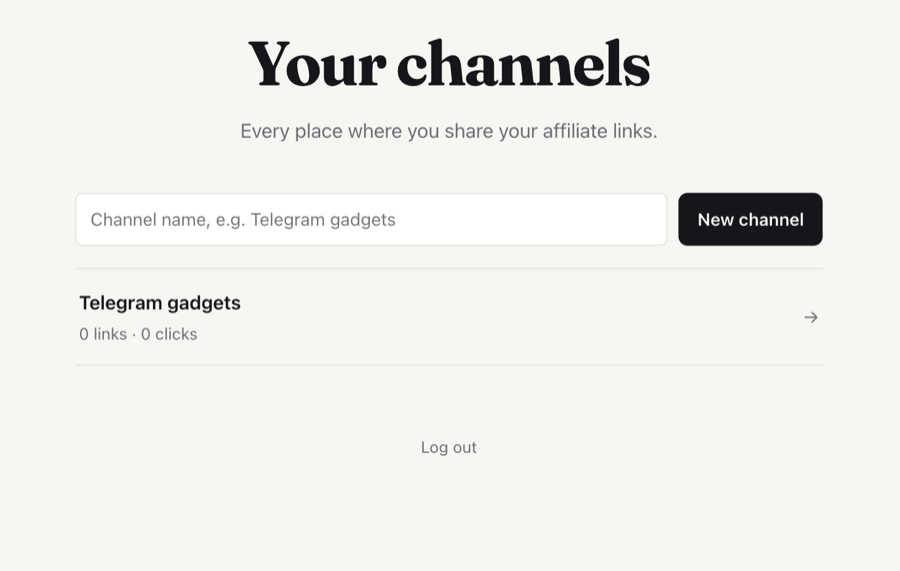
Log in with your email and create one channel for each place where you post: a Telegram channel, a WhatsApp group, your website. Each one gets its own stats.
-
Copy your API key
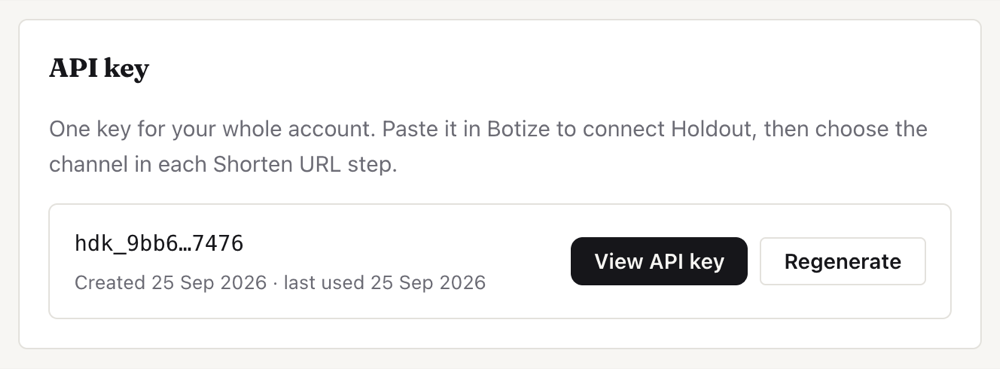
Below your channels, press View API key, then Copy. It is one key for your whole account, and you can view it again whenever you need it.
-
Connect Holdout in Botize
In Botize, add a Holdout connection and paste the key. One connection covers all your channels.
-
Add Shorten URL to your automation
Wherever your automation has the product link, add the Holdout step Shorten URL. There are two ways to do it.
Ask Botize to build it
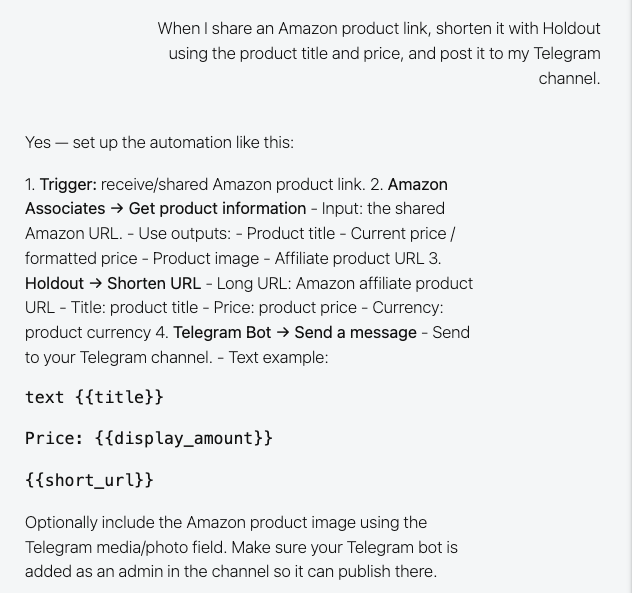
Describe the task in My Tasks, in one sentence. For example:
When I share an Amazon product link, shorten it with Holdout using the product title and price, and post it to my Telegram channel.
It answers with the steps it will use, the Holdout one included, and which product data goes into each field.
It also works from ChatGPT or Claude. Automate from your own AI
Or add the step yourself
Choose Holdout, then Shorten URL, and pick the channel from the list. Only Long URL and the channel are required.
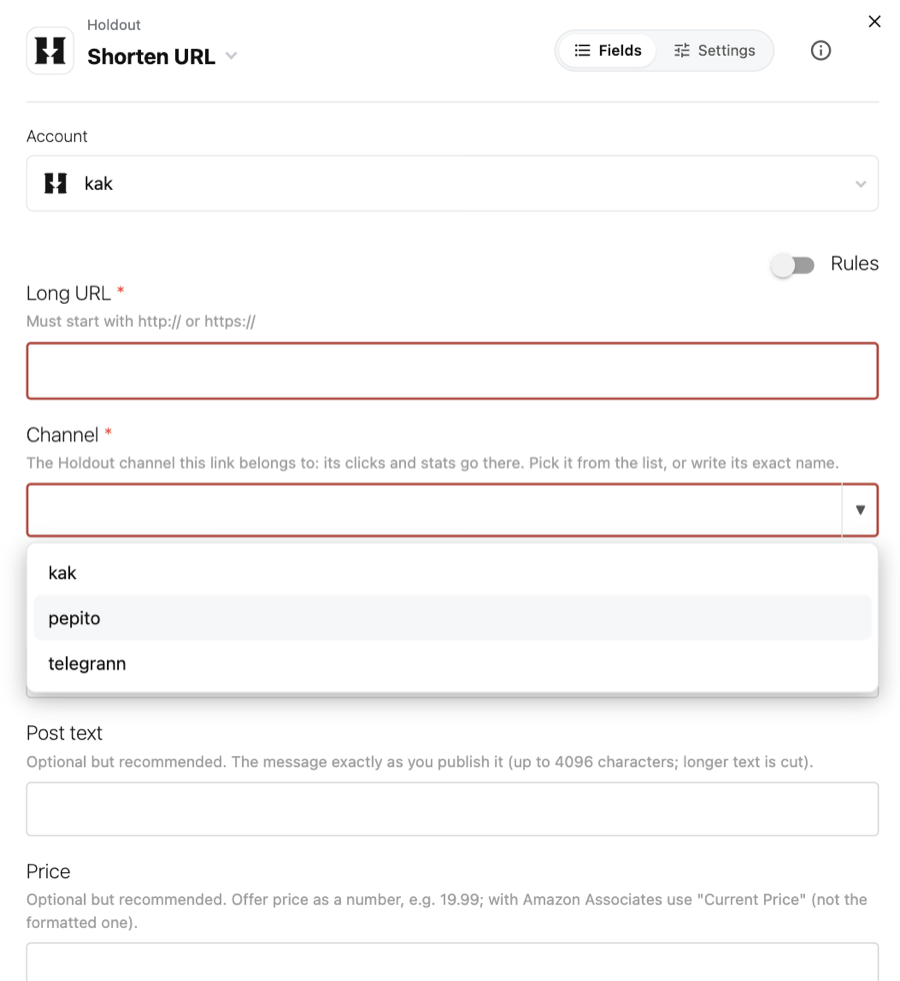
Coming from Amazon Associates “Get product information”? Use Title for the offer title, Current Price for the price (not the display amount, which carries the currency symbol), Original Price for the original price, Current Price:Currency for the currency and Product Group for the category.
Fill in the offer title and the price. They are optional, but without them Holdout cannot compare your offers, so suggestions and Try a product never switch on. Only you see them.
-
Post the Short URL
Use the step's Short URL in your message instead of the long link. On an iPhone it opens the Amazon app, where people are already signed in.
Then, on Holdout
- See the clicks of every channel and every link: over time, by country, by device and where they came from.
- Get suggestions: the best time to post, how long a post keeps working, and clicks you may be losing.
- Try a product before you post it, once your channel has 8 offers with a title and 20 clicks between them.